
Article takeaways
- The first step in learning how to find a storage unit and rent one is to make sure you go in knowing how much space you need.
- Using an online storage marketplace or locator tool, such as Storage.com, makes comparing and booking available units easy and even allows you to sign your storage rental documents online.
- Make sure you have your required documents available and carefully read through your lease before signing.
Moving, changing careers or life paths, and decluttering are all reasons you may want to consider renting a storage unit. However, if you’re new to storage, you might find yourself drowning in the sheer number of options available. How do you make an informed decision and get the best storage unit for your needs at the best price?
Luckily, Storage.com is here to help. We’ve put together this handy guide to help ease your mind, help you choose the right unit, and find the best price for you. In brief, you’ll want to:
- Estimate how much space you need
- Compare storage units online and reserve the right one for you
- Get your required documents together
- Sign your lease and set up payments and insurance
- Move in
Read on to learn a little bit more about each step. By the end, you should be well-prepared to find, rent, load, and organize the perfect storage unit for your needs.
Step 1: Estimate how much space you’ll need
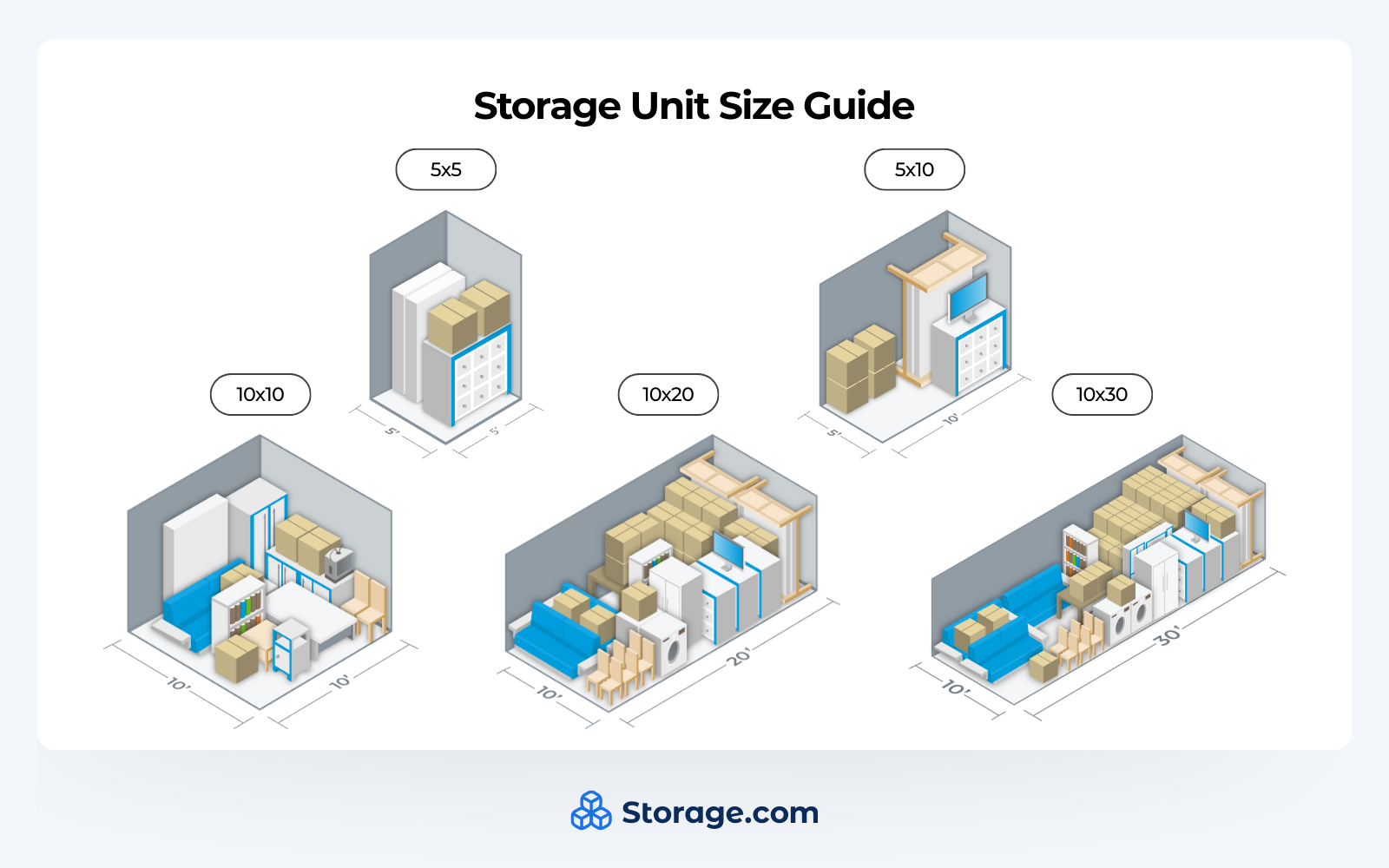
Before shopping for storage units, make sure you have an idea of how much space you need to fit everything. Rent too small, and you won’t be able to fit all your belongings into the unit you choose; rent too big, and you’ll be paying extra for space you don’t need.
How can I quickly estimate the amount of space I need?
Storage units come in a standard range of sizes, many of which can generally fit the contents of certain rooms in a house or apartment. Here’s a quick list of some of those sizes with the rooms you can expect to fit into each:
Remember to take vertical space into account when looking at these units! Most storage units have an 8’ ceiling, allowing you to stack some items and use shelving units to make the most of limited space.
An important rule of thumb is to always rent a little larger than you think you need. It’s better to have more space than less, and if you need to put extra items inside your unit, you’ll have room to fit them.
Step 2: Find and compare units near you
The market for storage units can be overwhelming if you’re new to it. Before you go searching, make sure you have the following information on hand:
- Your budget per month
- The storage unit size(s) you’re looking for
- Your location, and how far you’re willing to travel
- The date you’d like to move in
Making sure you’re looking within your wants and needs will help you narrow down the market when it’s time to search.
How do I use Storage.com to search for units?
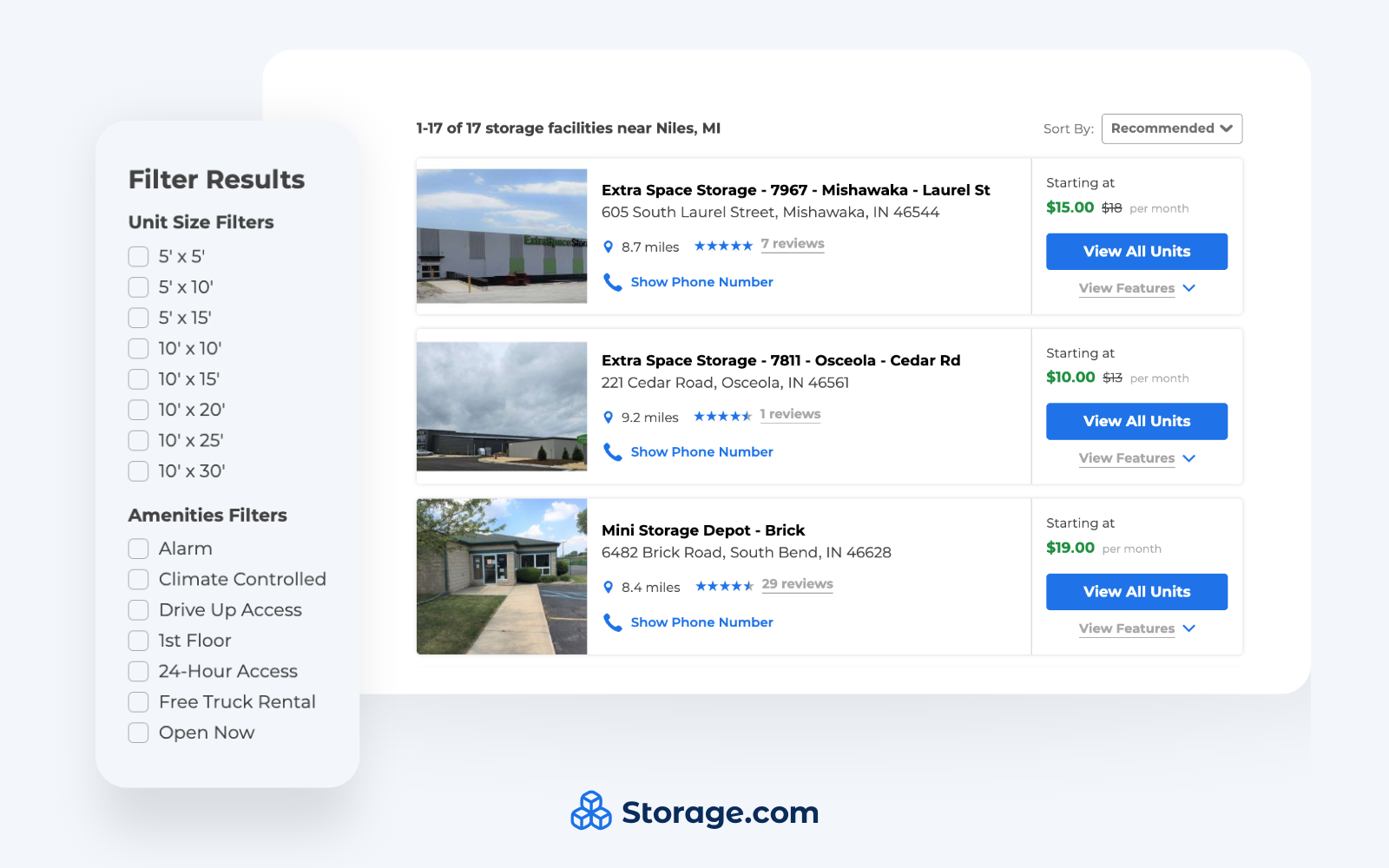
You happen to be in an excellent place to find the perfect storage unit for your needs. With the previous information on hand, our built-in search tool makes it easy to compare units and find the best price with the features you require. Here’s a quick overview of how to find a storage unit with Storage.com:
1. Enter your ZIP code or address in the search bar. Use your current location if you’re staying in place, or use your moving destination if you’re relocating.
2. Use our filters to narrow down results by the features you need. These filters include:
- Unit sizes
- Price range
- Features
- Climate control
- 24-hour access
- Drive-up access
- Indoor or outdoor units
- Availability on the first floor
- In-unit power
3. View our best results for your filters in a list, or use our map view to see where units and facilities are located.
4. Compare unit pricing without leaving the search page.
5. Visit a storage facility’s page on our site to see what options are available on the day you want to move in.
How do I compare storage facilities near me with Storage.com?
Once you’ve got some potential results in front of you, take a look at the following factors to see how they stack up next to each other.
- Monthly rates. How different are the base prices for units of the same size?
- Location and distance. How close are facilities to your home or workplace, and are you willing to pay a little more for convenience?
- Security features: Does the facility have on-site security staff? What other security features do they offer?
- Keep an eye out for gated access, security cameras, well-lit indoor and outdoor areas, and even the quality of the locks on the unit doors.
- Access hours: Does the facility offer 24-hour access so you can get into your unit even when the management office is closed?
- Amenities: What does the facility offer to make your storage more convenient and secure?
- Look for climate-controlled units, outdoor units with drive-up access, free moving truck rental, and in-facility freight elevators so moving several heavy belongings to an upper floor is easier.
- Customer reviews and ratings: What do renters think of their experience renting with the facility?
- Current promotions: Can you get discounts based on your move-in date or status as a new renter?
Using our search tool to compare facilities near you makes it easy to see these features and filter out units that don’t have the ones you need. All the information is viewable in the search page; you won’t have to visit multiple company websites or make phone calls to leasing offices.
How do I break down storage unit prices?
Storage unit pricing can be confusing, so at Storage.com we do our best to give you the most transparent estimate possible for every facility we feature. You can see standard rates right next to promotions and discounts, and we can even show you exactly how much you’ll pay for your first month, fees included.
When comparing units, the total price per month will include:
- Monthly unit rent costs
- Administrative fees
- Unit insurance if it’s required by the facility
- Lock prices if you need to bring your own
Step 3: Reserve your storage unit online
Once you’ve identified the unit with the features you require at the right price, you’ll need to reserve it if you want to make sure it’s yours. Luckily, if you’re using Storage.com’s search tool, you can reserve a unit without leaving the site or even making a phone call.
How do I reserve a storage unit through Storage.com?
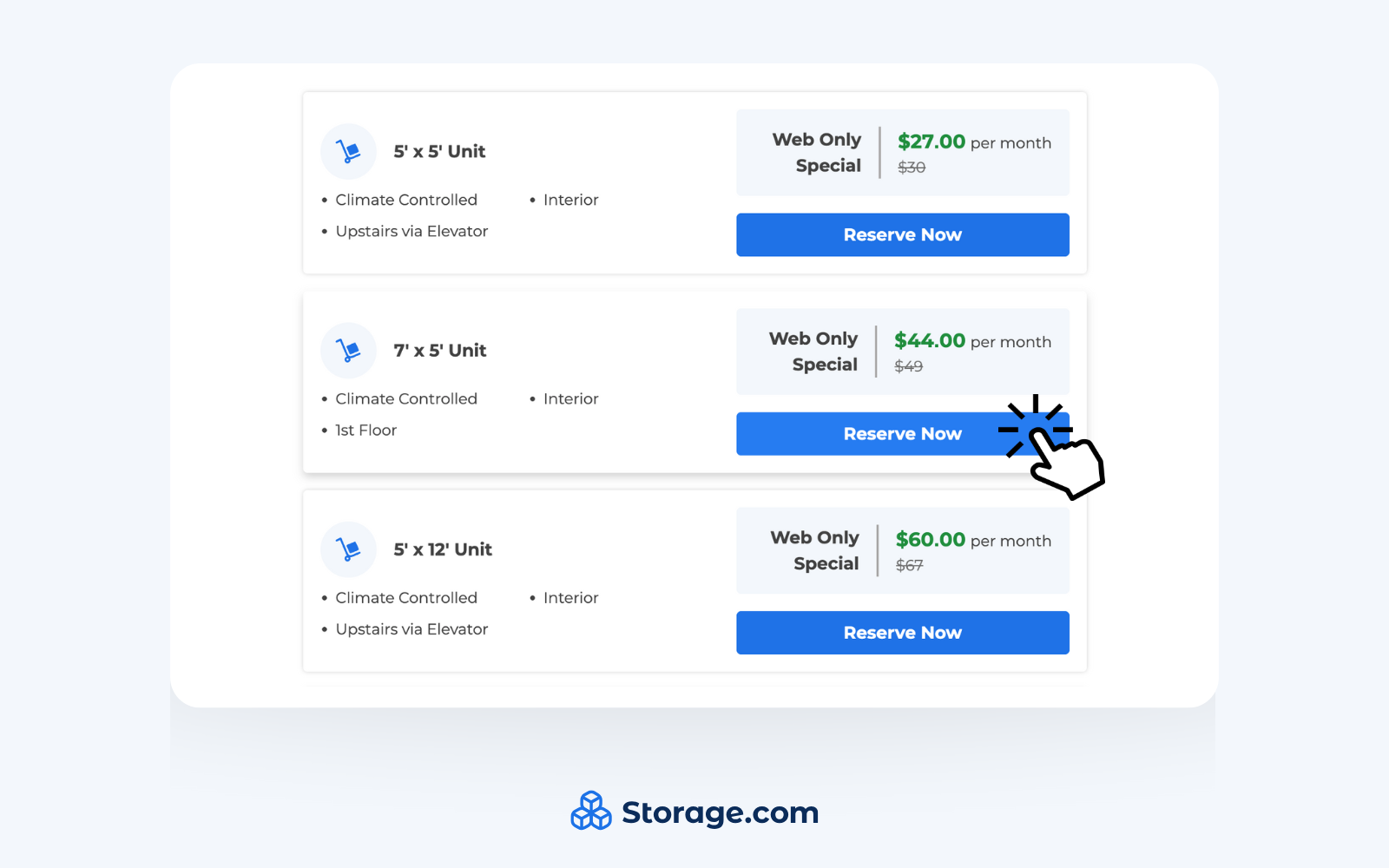
If you’ve nailed down the exact unit you’re looking for, all you have to do is go to the facility’s page on our site, find the unit size you need, and click “Reserve Now”. From there, choose your desired move-in date, put in your information, and that’s it! No payment required.
If you need to cancel a reservation, you can do so before your selected move-in at no cost to you.
Why should I use Storage.com to book a storage unit?
We offer plenty of convenient features for customers who book directly through us, including:
- Instant confirmation. When you reserve through our site, you get your unit number as soon as you finalize your reservation.
- Best price guarantee. We offer exclusive deals on monthly rent through Storage.com and highly competitive unit pricing.
- Secure booking. When it’s time to make a payment, you can securely pay directly through Storage.com and be sure your information is safe.
- 24/7 reservations. Booking online can be done at any time, even if our call center is closed or the facility you’re looking at isn’t open.
- No obligation searching and reserving. Compare unit prices without committing to a purchase, and cancel a reservation before you pay at no cost to you.
- Mobile-friendly. Away from home? No problem! Reserve a unit from your phone or tablet as easily as you would on a desktop computer.
- Customer support. If you have questions about reserving units or rental costs, our customer support and storage expert team are on call to help talk you through it.
What happens after I reserve a unit through Storage.com?
Once you finalize your reservation, you’ll receive a confirmation email at the address you put in with all the details you’ll need, including contact information for the facility you chose and directions to get there. You’ll also receive move-in instructions and codes for the gate if the storage facility provides them. Create a Storage.com account to access reservation information at any time!
Step 4: Have your required information and documents ready to rent with
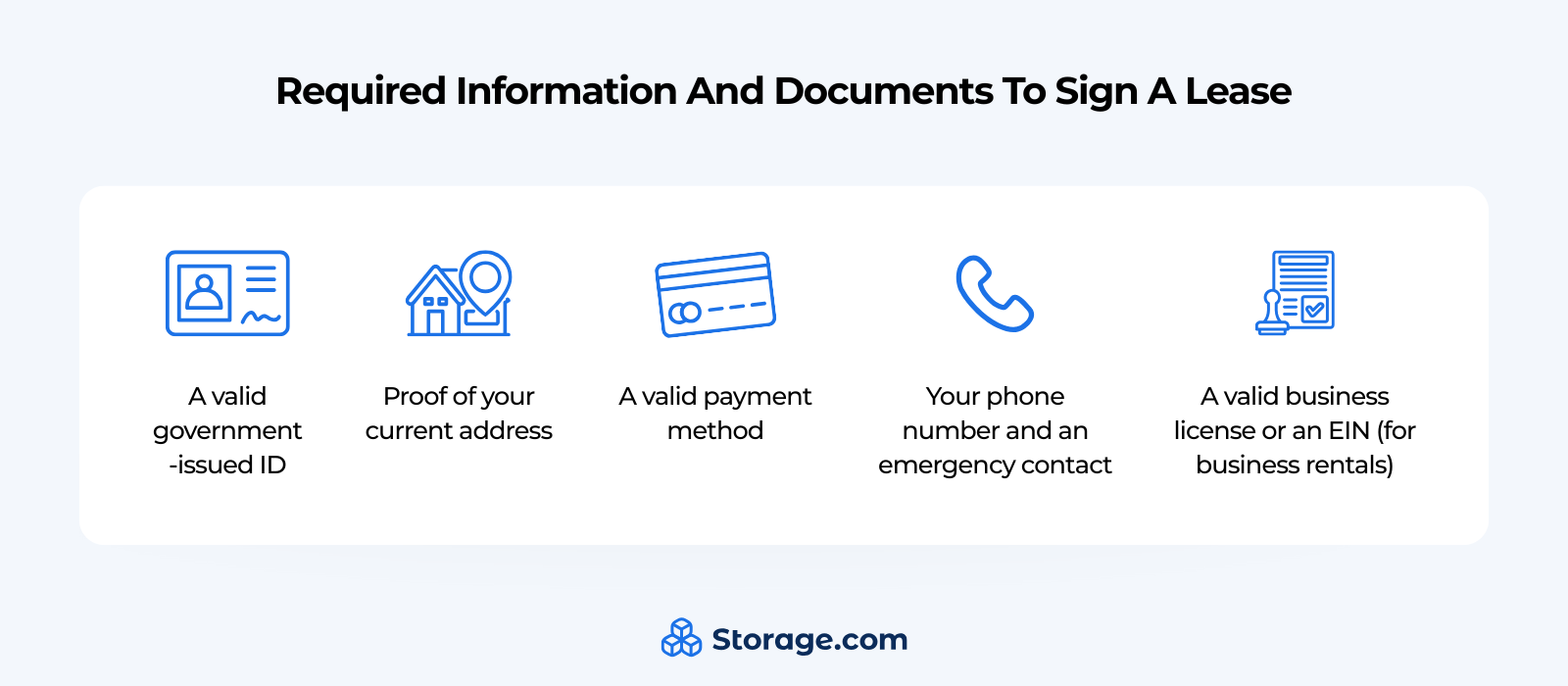
Reserving a storage unit is only the first step; you’ll need to sign a lease before you can move in, and you’ll need several documents and other pieces of information to sign that lease. Here’s a handy list of everything you’ll need to have on hand.
- A valid government-issued ID. This can be a driver’s license, passport, or other state ID. In addition to proving your identity, your ID also confirms that you’re legally able to rent a storage unit; you typically need to be over 18 to do so.
- Proof of your current address. A utility bill or renter’s lease agreement should be enough to prove you live where you say you live.
- A valid payment method. Bring a credit or debit card, or information for a checking account in your name.
- Your phone number and an emergency contact. Not all facilities require these, but be sure you have them available in case they’re needed. This information helps the facility get in touch with you if a payment doesn’t go through or any other concerns arise.
- If you’re renting for a business: A valid business license or an employer identification number (EIN). As with your proof of address, this helps confirm that you own or work for the company you claim to.
If you’re signing a lease in-person, make sure you have paper copies and backups of each of these required documents and bring them to the meeting. If you’re signing online through Storage.com, though, you can just upload legible images of each document.
Step 5: Review and sign your storage unit lease agreement
You may not read the terms and conditions of everything you agree to, but when renting a storage unit, you won’t want to skip the terms of a storage unit lease agreement. Carefully reading through the lease will help you understand what’s required of you while renting and how you can remain in good standing with facility management.
Specific terms to look for include:
- The rental period. Is the lease month-to-month, or are you signing a long-term contract? Make sure you understand whether or not you’re committing to a certain number of months.
- Payment terms. When are payments due, and what fees will you pay if you’re late on a payment? Look for autopay options to make sure you never miss a rent payment.
- Access rights. What hours can you access your unit if the facility doesn’t offer 24-hour access, and what rules must you follow as a tenant to avoid disturbing other tenants or violating facility terms? Read these carefully, as different facilities have different requirements of their tenants.
- Insurance requirements. How much does the facility cover in case of damage or theft, and is there a required amount of tenant insurance coverage? Check with your insurance provider to see if you can add tenant insurance for a much lower cost than you’d get through the facility.
- Prohibited items. What isn’t allowed in units? Many prohibited items are common sense, such as perishable food and volatile chemicals, but make sure you read these rules carefully so you don’t break them by mistake.
- Rate increase policy. If the facility plans to raise the rental cost while you’re renting with them, how much notice will you receive? Make sure it’s well in advance of payment so you can adjust your budget accordingly.
- Termination terms. How much notice must you give in advance when you’re ready to terminate your lease, and what procedures must you follow when moving out? Plan ahead for the end of your rental period and you’ll be able to move out without hassle.
Keep an eye out for red flags in lease agreements. If the lease doesn’t include an early termination clause, you might be stuck with your monthly rental payment past the time you require the unit for. Less reputable storage facilities may also have additional fees hidden in the agreement, but renting through Storage.com will make those fees transparent so you can avoid them.
Make sure you ask the following questions before you sign a lease.
- What are your policies for changing to a larger or smaller unit within the same facility?
- What procedures do you have if I need to end my lease early?
- What security and pest control measures do you take?
Finally, before and after you sign, make sure you have extra copies of the lease so you can refer to them in case your originals get lost. For online rentals through Storage.com, you can sign these agreements digitally and receive PDF copies to refer to.
Step 6: Set up payment and insurance
How do I pay for a storage unit?
As with most rentals, payments for storage units are primarily handled online. You can often check your balance and pay directly through the facility website. However, we recommend setting up autopay so payments automatically occur when they’re due; you can do this through the Storage.com checkout if you rent through our site.
Storage facilities accept payment through credit cards, debit cards, and direct debiting from checking accounts. Check before you rent to make sure they take the card or bank you currently use.
How do I get insurance for a storage unit?
While not all facilities require you to have insurance coverage, it’s recommended for any rental in case any of your belongings are damaged or stolen due to facility negligence. A good facility will prevent this from happening in the first place, but it’s always best to make sure you’re covered.
Some options for storage insurance include:
- Insurance offered through the storage facility. If you don’t already have an insurance provider or they don’t offer storage insurance, this is often the most convenient option. However, you can expect to pay more than you would for a third-party provider.
- Insurance through your current homeowner’s/renter’s insurance provider. Check to see if your current coverage will cover a storage unit, and if not, ask your agent if you can extend coverage. If the answer is yes, you can expect to only pay a little more per month to cover your unit.
- Third-party storage insurance. Finding a reputable provider can be tricky, but if you get ahold of one, you can expect a decent price and specific coverage for your storage needs.
Your online lease agreement should allow you to input any insurance information you may have to meet facility requirements.
Step 7: Get your access credentials and move in
You’ve reserved your unit, signed your agreement, paid your up-front costs, and made sure your insurance is in order. All that’s left to do is move in! Here’s what you’ll receive from the facility to make sure you can actually access your unit.
- Gate and access codes. Access to the facility is restricted to those renting units in it, so you’ll need these to enter and find your unit.
- Your unit number and location. Facilities can be large and hard to navigate, but directions to actually find your unit should be included with its information.
- Lock requirements. If the facility provides its own locks, you should receive a key or a code if it’s digital. If not, they’ll give you requirements for the kind of lock you need to bring so your unit is as secure as can be.
- Facility rules and contact information. The rules you’re given should just reiterate what you’ve agreed to in your lease agreement at a glance, and the contact information should help you clear up any confusion or get any assistance you require while renting.
Here are a few tips to follow before and during your move for best results.
- Don’t move in during peak hours. If a lot of other people are moving or visiting units while you try to move, they’ll get in your way (and you’ll get in theirs). Try to schedule your move on days and at times when the storage facility isn’t as crowded.
- Check the availability of elevators and loading docks. Making sure you have access to these will help you move your larger items into an indoor facility.
- Bring a good lock if you have to bring your own. We recommend investing in a disc lock, as these are easy to open with keys but difficult to pick or break.
- Give your unit a final walkthrough before you start to move objects into it. The space may seem different in person than online, and a thorough walkthrough will help you get a feel for where things should go.
Make sure you properly organize your unit as you move into it so there’s space for everything and room for you to walk around and access every item.
Tips for first-time renters
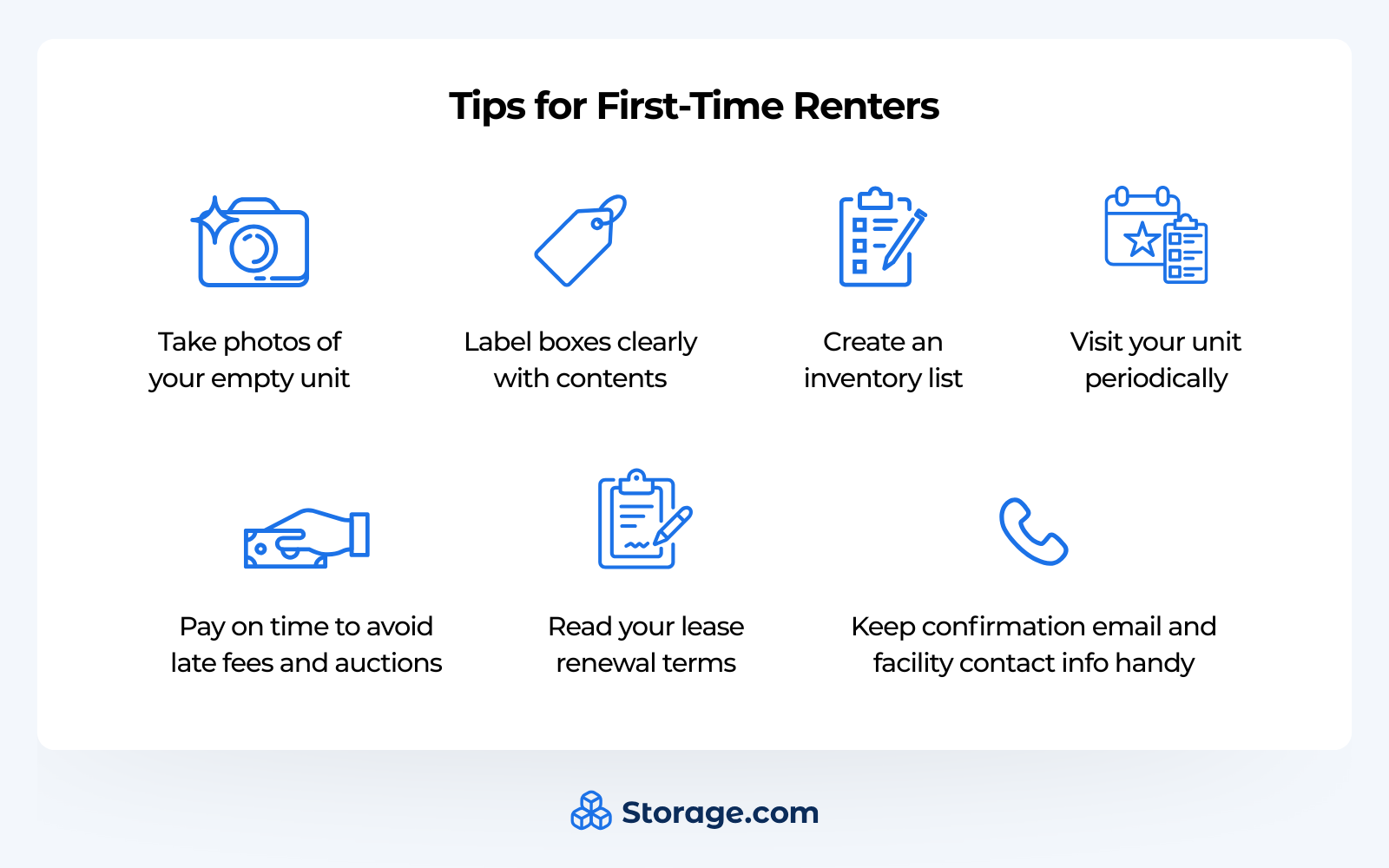
- Take photos of your empty unit
- Label boxes clearly with contents
- Create an inventory list
- Visit your unit periodically
- Pay on time to avoid late fees and auctions
- Read your lease renewal terms
- Keep your confirmation email and facility contact info handy
If you don’t go into a rental agreement prepared, you’ll wind up with a cluttered, disorganized unit that takes forever to load and unload. Follow these tips and you’ll have a perfectly hassle-free experience:
- Take photos of your unit while it’s empty. If any pests, weather damage, or vandalism occur, you’ll have a document to show facility management and your insurance provider.
- Label your boxes clearly. You’ll save plenty of time and space knowing what’s where.
- Create an inventory list. Having a document of every item you’re storing will help you make sure everything is still there when you check up on the unit or move out.
- Visit your unit every once in a while. Clean, dust, and inspect everything to prevent damage and make sure nothing is lost.
- Pay on time. Late fees will stack up and reflect badly on your credit score, and going completely delinquent on your unit payments can result in your unit being repossessed and auctioned off.
- Thoroughly read through your lease renewal terms. Avoid any fees or traps by making sure you understand lease terms in detail.
- Keep your confirmation email and facility contact info handy. If you need to clear something up, reread your email to make sure everything is squared away before contacting facility management with questions.
Finding the right unit
Finding and renting a storage unit can be a confusing process, but by now you should be able to search, compare, and reserve a unit without any issues. Booking storage is easier than ever online, and with Storage.com, you can compare facilities near you and find the unit with the space and features you need in minutes.
Use our built-in search tool to find and reserve your storage unit today, or give us a call to speak to a storage expert who can help point you to the perfect unit for your needs!